
About sponsored donations
The compliance requirements for sponsored donations are different to those needed for donations from individuals.
Instead of recording by individual donor, records are created by participant.
Sponsored donations preparation
Section titled “Sponsored donations preparation”Consider whether you wish to create a fund for the event, for isolating these monies later.
Before recording receipts, create records for any participants who have raised the funds and are not already in the system.
Alternatively, create participant records directly from the sponsorship donations page by clicking the green link in the ‘find participant’ area.
Creating sponsored donation records
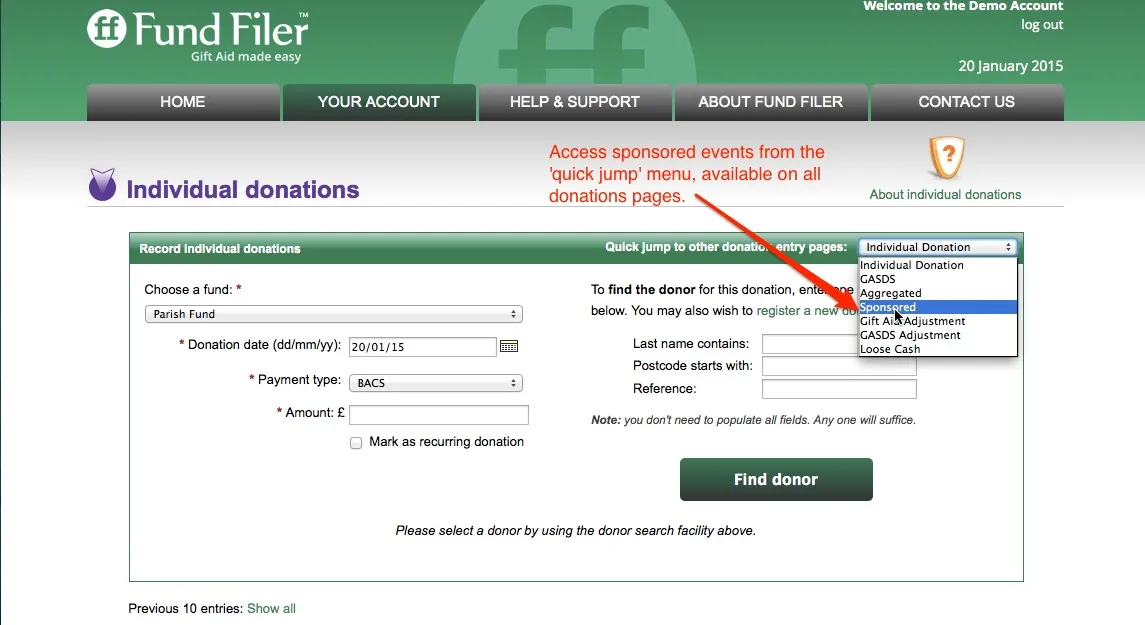
Section titled “Creating sponsored donation records”Reach the sponsorship page on Fund Filer from the ‘quick jump’ pull down menu which appears on all donations pages, top right in the green bar.
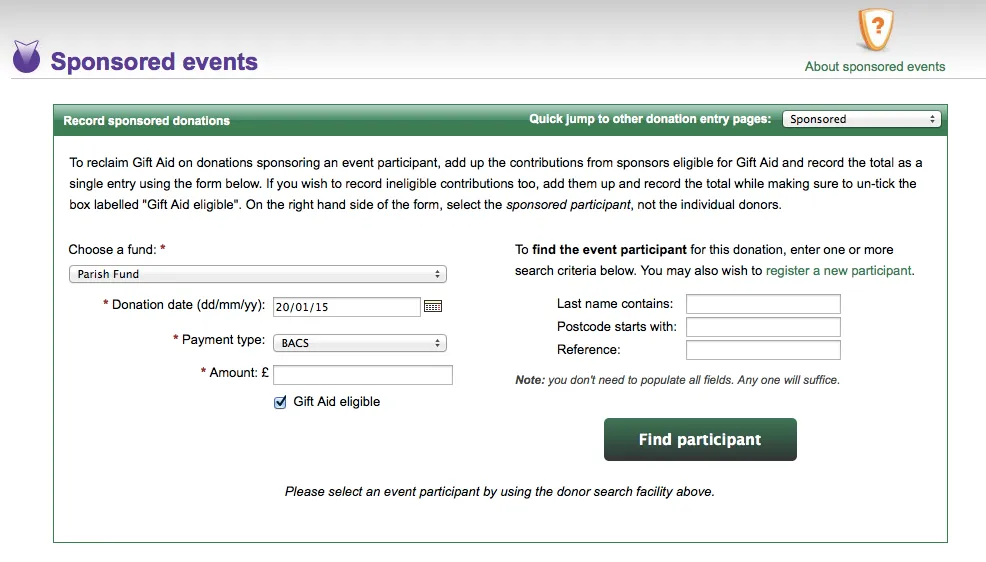
The page is very similar in style to ‘individual donations’, with donation attributes on one side and facility to create or find participants on the other. Create and record the total raised by the participant.
Controlling Gift Aid eligible and non Gift Aid donations
Section titled “Controlling Gift Aid eligible and non Gift Aid donations”It is common for participants to raise a mix of Gift Aid and non Gift Aid eligible funds. Fund Filer therefore includes a ‘Gift Aid eligible’ button on the sponsored events page.
Where there is a mix, split the totals and record one total for Gift Aid with the box ticked. Then untick the box and record the non Gift Aid total.